Ordering a Human Data Disclosure Form in PPMS
These step-by-step instructions show how to order and fill out a Human Data Disclosure form in PPMS.
Step-by-Step Guide
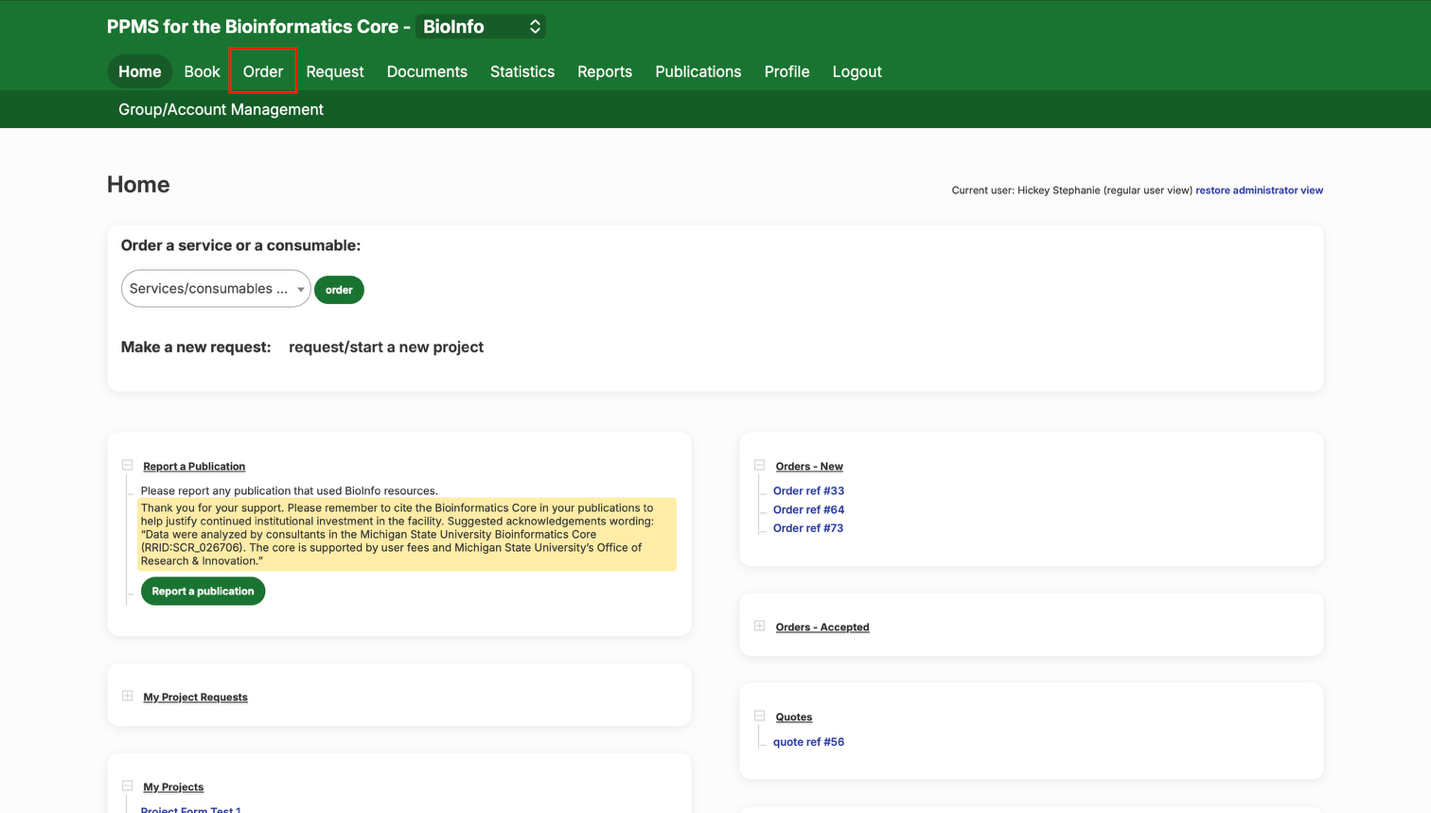
- Start an order
- At the top of the screen, select the “Order” tab.
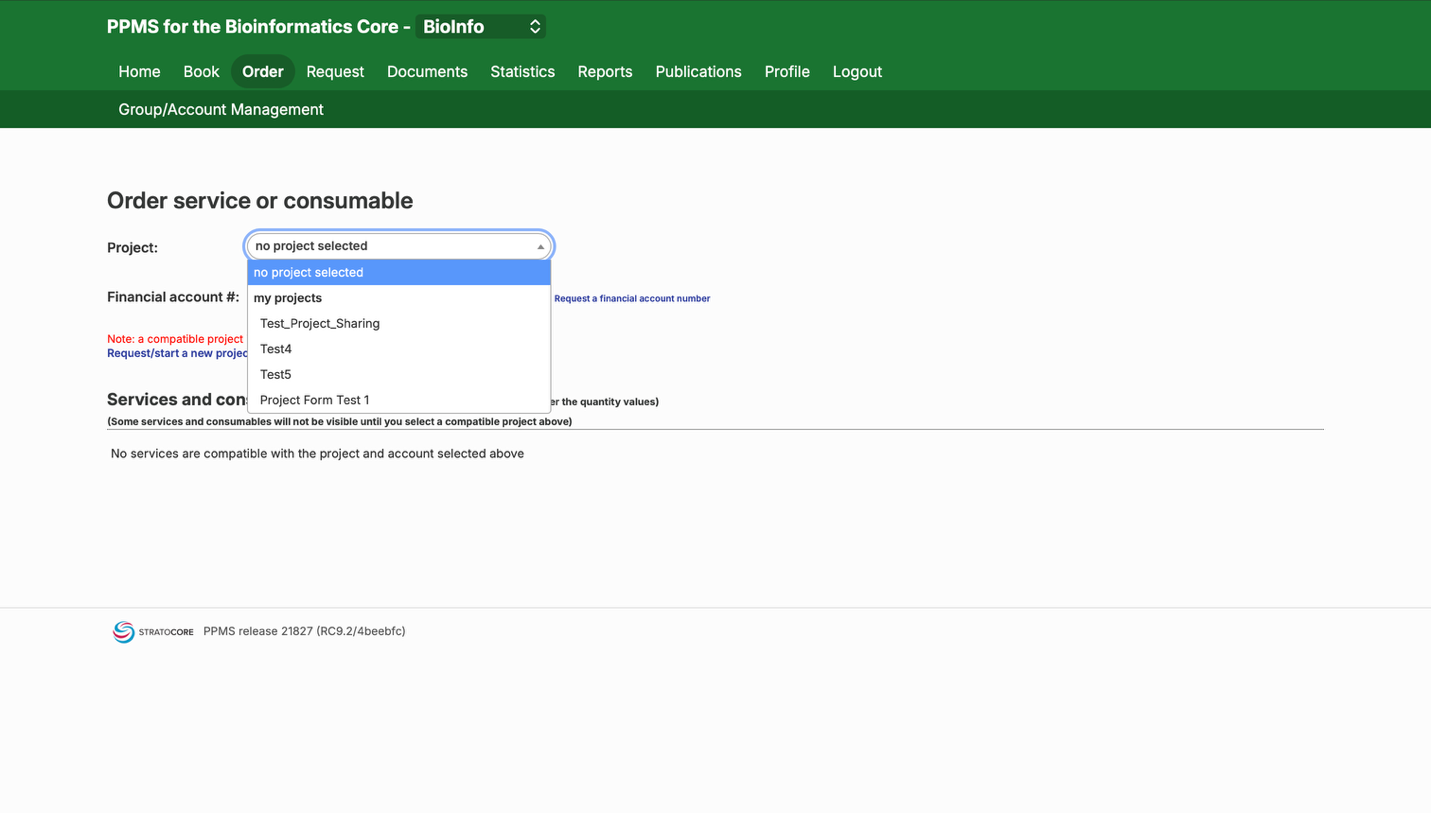
- Select your project
- Select your project using the “Project” drop-down menu.
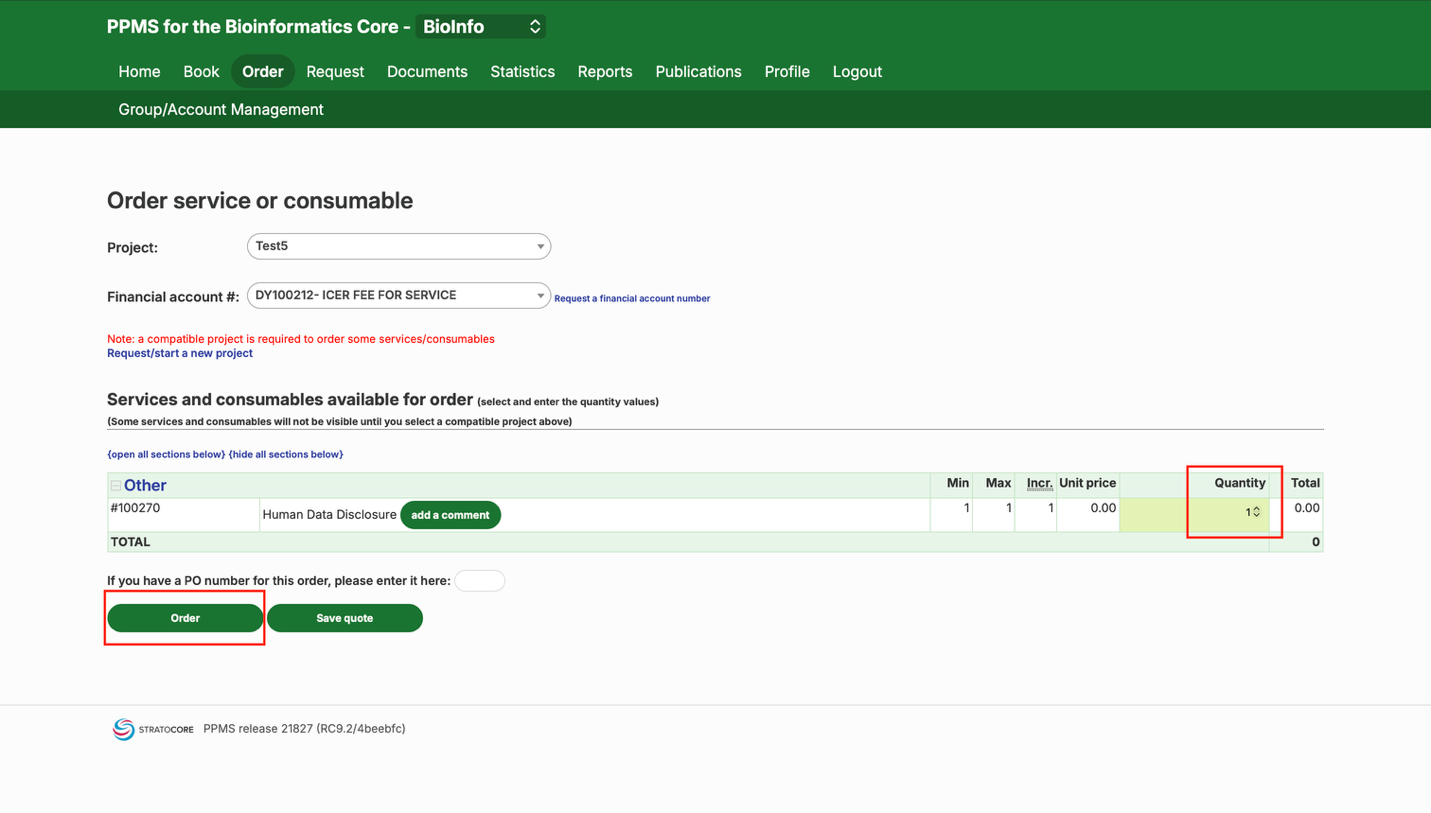
- Order the disclosure form
- Change the “Quantity” from 0 to 1 and click “Order.”
- Fill out the form
- This pops up the Human Data Disclosure form for you to fill out. Once you are finished, click the “Place Order” button.
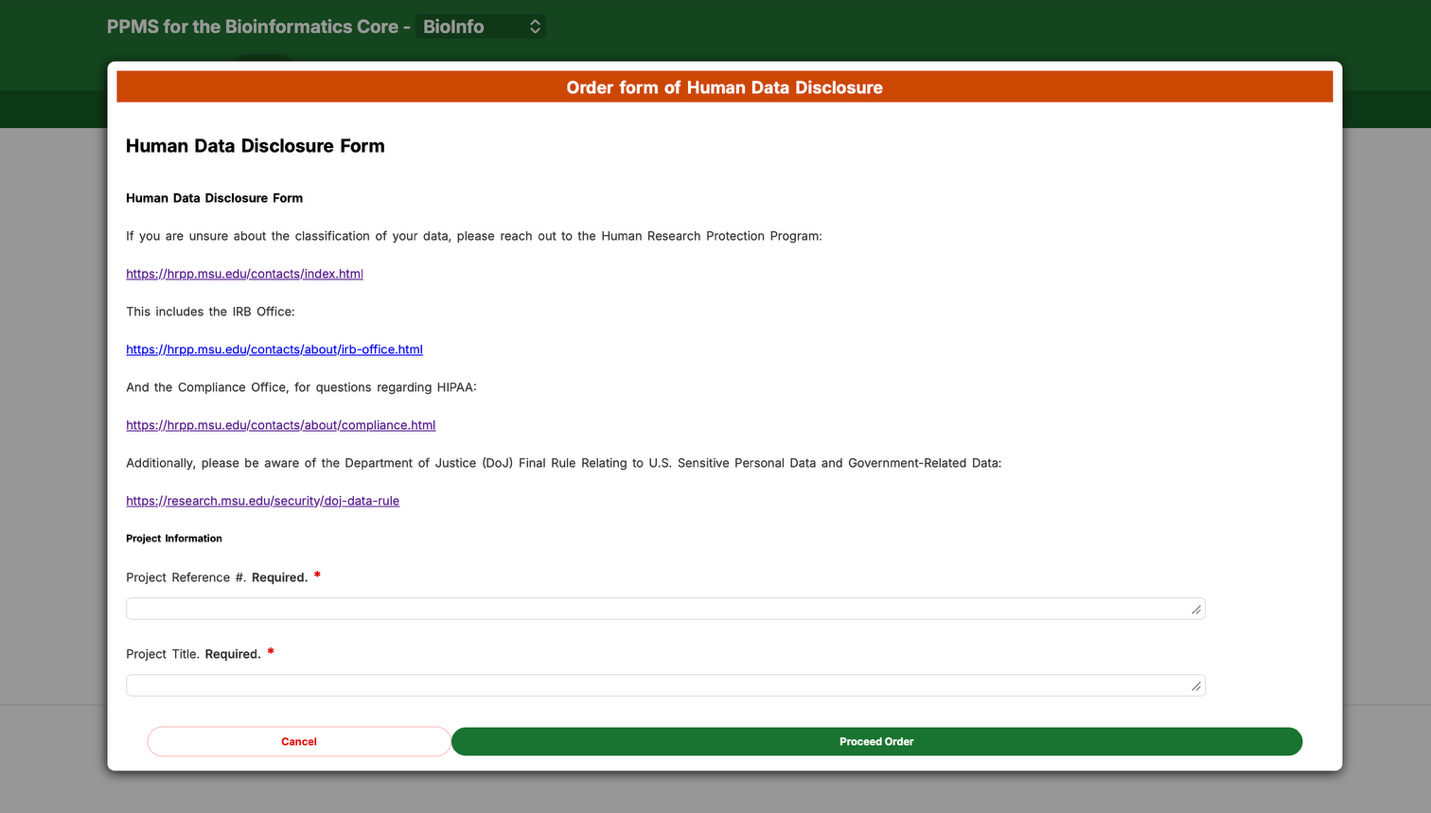
Note: If you're unsure how your data should be classified, use the Human Research Protection Program, IRB Office, or Compliance Office links inside the form before you submit.
Need help? Message our PPMS help Teams channel or email bioinformatics@msu.edu.